

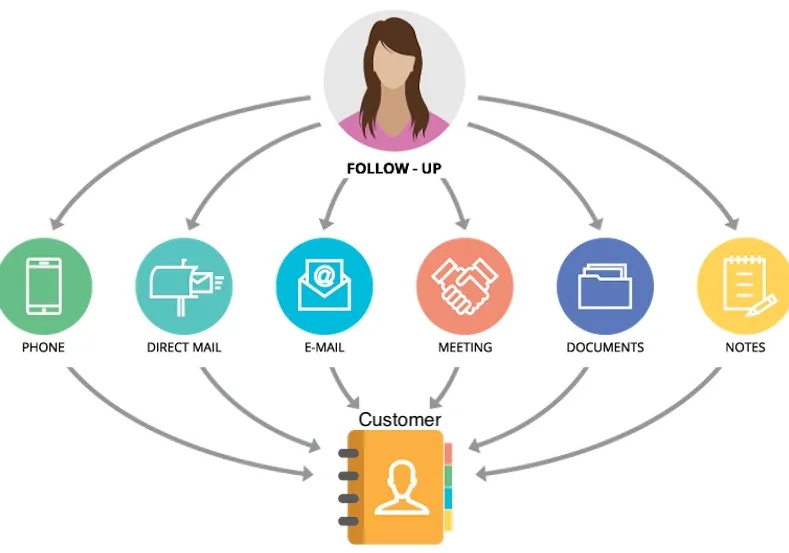
Managing customer relationships efficiently is crucial for growth. Organizations are increasingly looking for ways to streamline their processes, reduce manual work, and ensure that no task or lead falls through the cracks. Leveraging a robust CRM workflow along with effective document workflow automation can dramatically enhance productivity and improve the overall customer experience. By automating repetitive tasks and centralizing document management, businesses can focus more on building strong customer relationships and less on administrative overhead.
Understanding CRM Workflow
A CRM workflow is a set of automated processes within a customer relationship management system that ensures smooth handling of leads, customer queries, follow-ups, and sales processes. Traditionally, teams relied on manual tracking of leads, emails, and client interactions, which often led to delays, missed opportunities, and inconsistent customer experiences.
Modern CRM workflows address these challenges by allowing businesses to:
- Automate repetitive tasks like sending follow-up emails, assigning leads, and updating records.
- Maintain a clear overview of customer interactions and sales pipelines.
- Ensure that all team members follow consistent processes, reducing errors and improving accountability.
By implementing a structured CRM workflow, organizations can enhance efficiency, reduce response times, and ultimately improve customer satisfaction.
The Role of Document Workflow Automation
While CRM workflows manage customer interactions, businesses still need to handle a large volume of documents, such as proposals, contracts, invoices, and internal approvals. Managing these documents manually can be time-consuming and error-prone, which is where document workflow automation comes in.
Document workflow automation enables businesses to:
- Automatically route documents for approvals or signatures based on predefined rules.
- Track document status in real-time, eliminating the need for constant follow-ups.
- Ensure compliance with regulatory and organizational standards.
- Reduce the risk of misplaced or lost documents.
When integrated with CRM workflows, document workflow automation ensures that all customer-related documents are seamlessly managed, linked to the appropriate records, and processed without delays. This creates a unified workflow that saves time and improves overall operational efficiency.
Benefits of Combining CRM Workflow with Document Workflow Automation
Integrating CRM workflow with document workflow automation offers several advantages for businesses:
- Improved Efficiency
Automation reduces manual intervention, allowing teams to focus on high-value tasks like building relationships and strategizing sales efforts. Tasks such as sending proposals, generating invoices, or routing contracts can be handled automatically, minimizing delays. - Enhanced Accuracy
Manual processes are prone to errors. Automating workflows ensures that data is entered consistently, approvals are tracked accurately, and customer records are updated in real-time, reducing mistakes and rework. - Better Collaboration
Teams can collaborate more effectively when all information and documents are centralized. Sales, marketing, and support teams can access the same data, track progress, and work together seamlessly. - Faster Decision-Making
Automated workflows provide real-time insights into sales pipelines, customer interactions, and document statuses. Managers can quickly identify bottlenecks, prioritize tasks, and make informed decisions without waiting for manual reports. - Enhanced Customer Experience
Customers expect quick responses and accurate information. By automating CRM and document workflows, businesses can respond faster, process requests efficiently, and maintain a professional experience throughout the customer journey.
Implementing CRM and Document Workflow Automation
To effectively implement these workflows, businesses should follow these steps:
- Identify Key Processes
Analyze the existing CRM and document handling processes to identify repetitive tasks, approval bottlenecks, and areas prone to errors. - Choose the Right Tools
Select automation tools that seamlessly integrate CRM and document workflows. Tools like Cflow provide pre-built solutions that streamline both customer management and document processing. - Define Rules and Approvals
Set clear rules for lead assignments, document approvals, notifications, and escalations. Automation is only effective when processes are well-defined. - Train Teams
Ensure that all team members understand how to use the automated system, follow best practices, and utilize features to maximize efficiency.
- Monitor and Optimize
Regularly review workflows, track performance metrics, and optimize processes to address new challenges and opportunities. Continuous improvement ensures that automation delivers maximum value.
Conclusion
Optimizing business processes through a combined approach of CRM workflow and document workflow automation is no longer a luxury—it’s a necessity for companies aiming to stay competitive. Automation not only reduces manual effort but also enhances accuracy, collaboration, and customer satisfaction. By implementing integrated workflows, organizations can save time, reduce errors, and focus on what truly matters—building strong and lasting relationships with their customers.
Investing in these automation solutions today sets the stage for a more efficient, responsive, and customer-focused business tomorrow. Embracing CRM and document workflow automation is a strategic step toward operational excellence and long-term growth.

Emma Brooke is a passionate language enthusiast and expert at Grammar Apex, dedicated to helping writers, students, and professionals refine their grammar and writing skills. With a keen eye for detail and a love for linguistic precision, Emma provides insightful tips, clear explanations, and practical guidance to make complex grammar rules easy to understand.